Driply documentation
Run it, point it at your own accounts, ship it under your own brand. Written against version 1.0.0 of the download you get on CodeCanyon.
- Version v1.0.0
- Updated Sep 2026
- Platform Flutter
- Stack Flutter · Next.js
- Demo APK · 56 MB · v1.0.0 · Android 7.0+
On this page
Interface tour
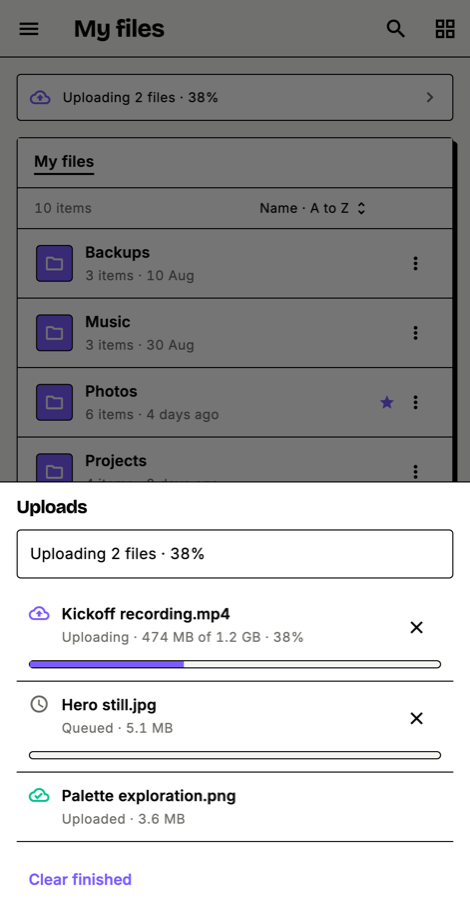
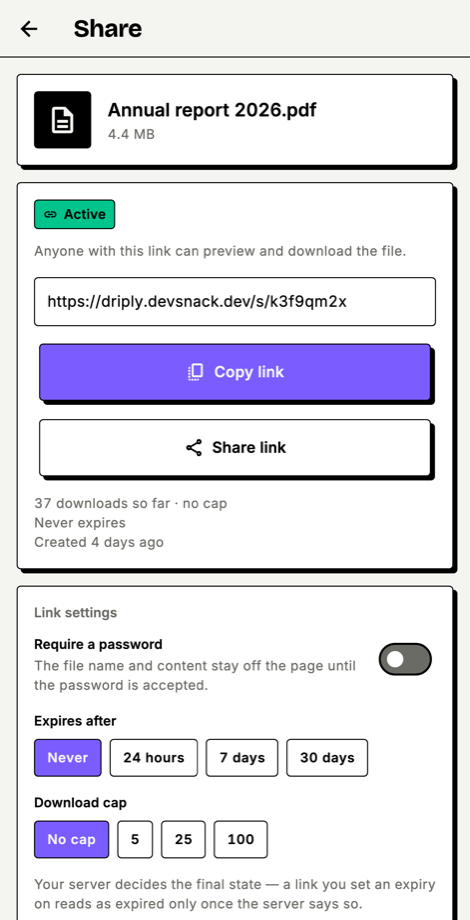
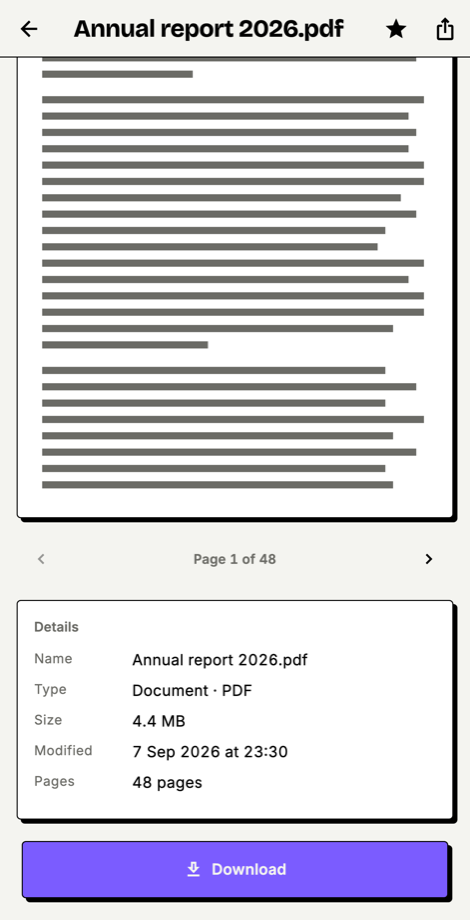
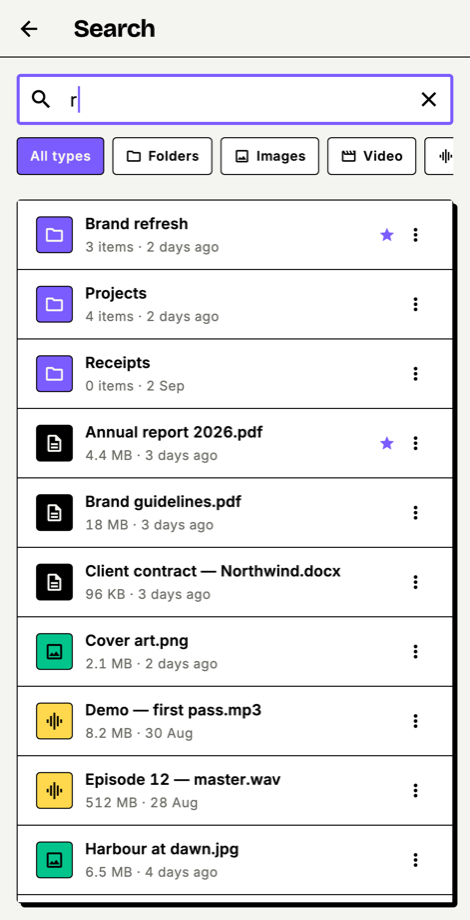
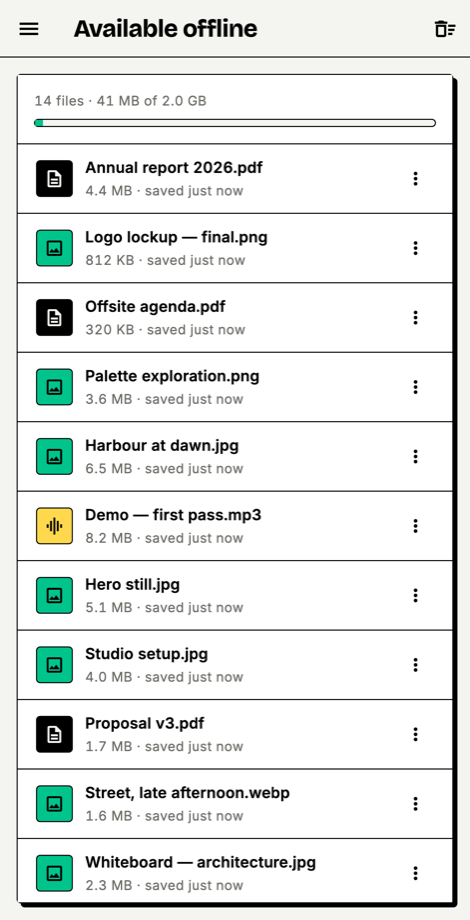
Screens from a running install. Nothing here is a mockup — the web shots are a production build served from a real deployment, and the mobile shots are rendered from the app’s own widgets against the real theme.
Web
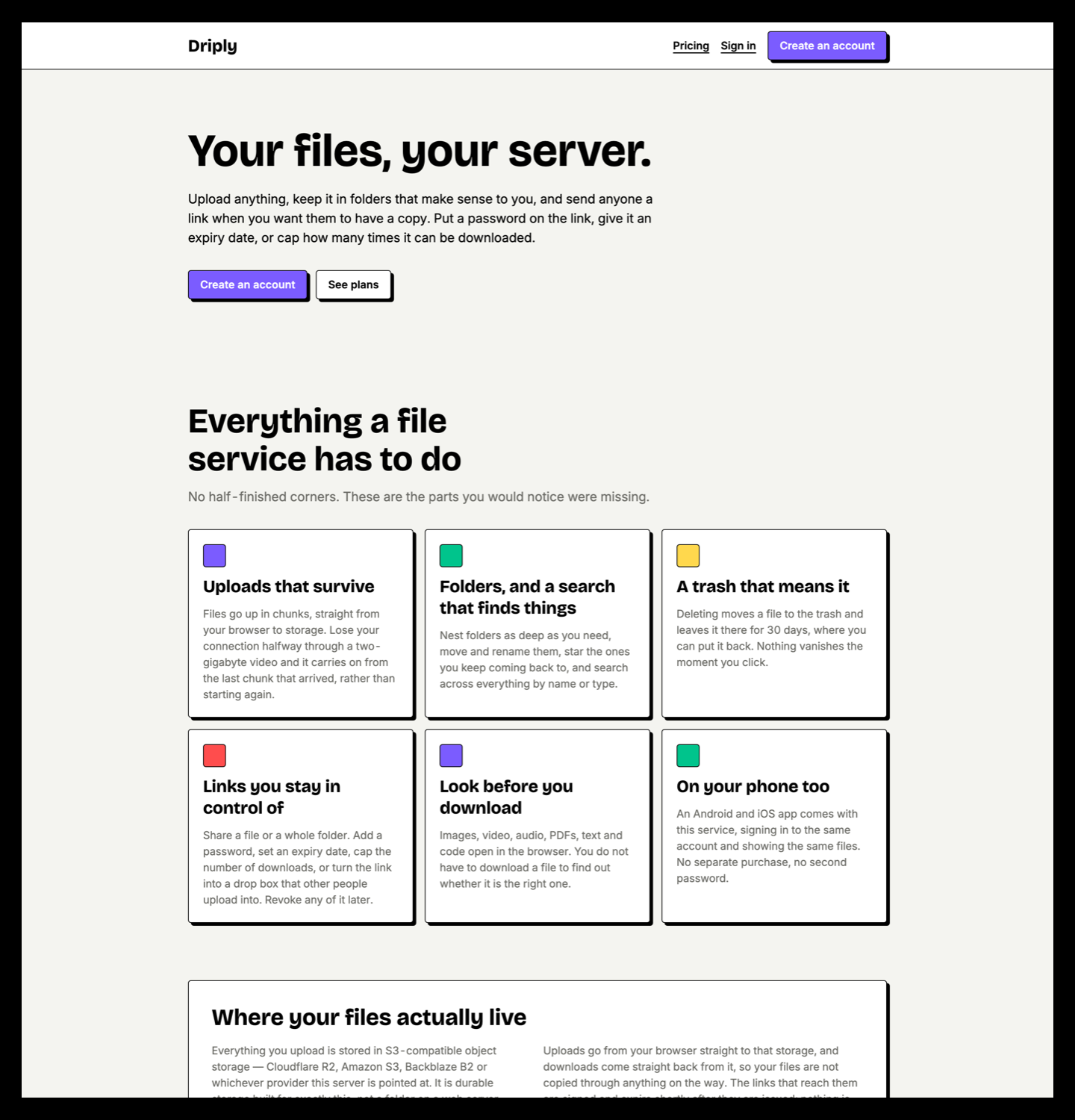
src/config/brand.ts and the settings table, so the admin panel can change them without a redeploy.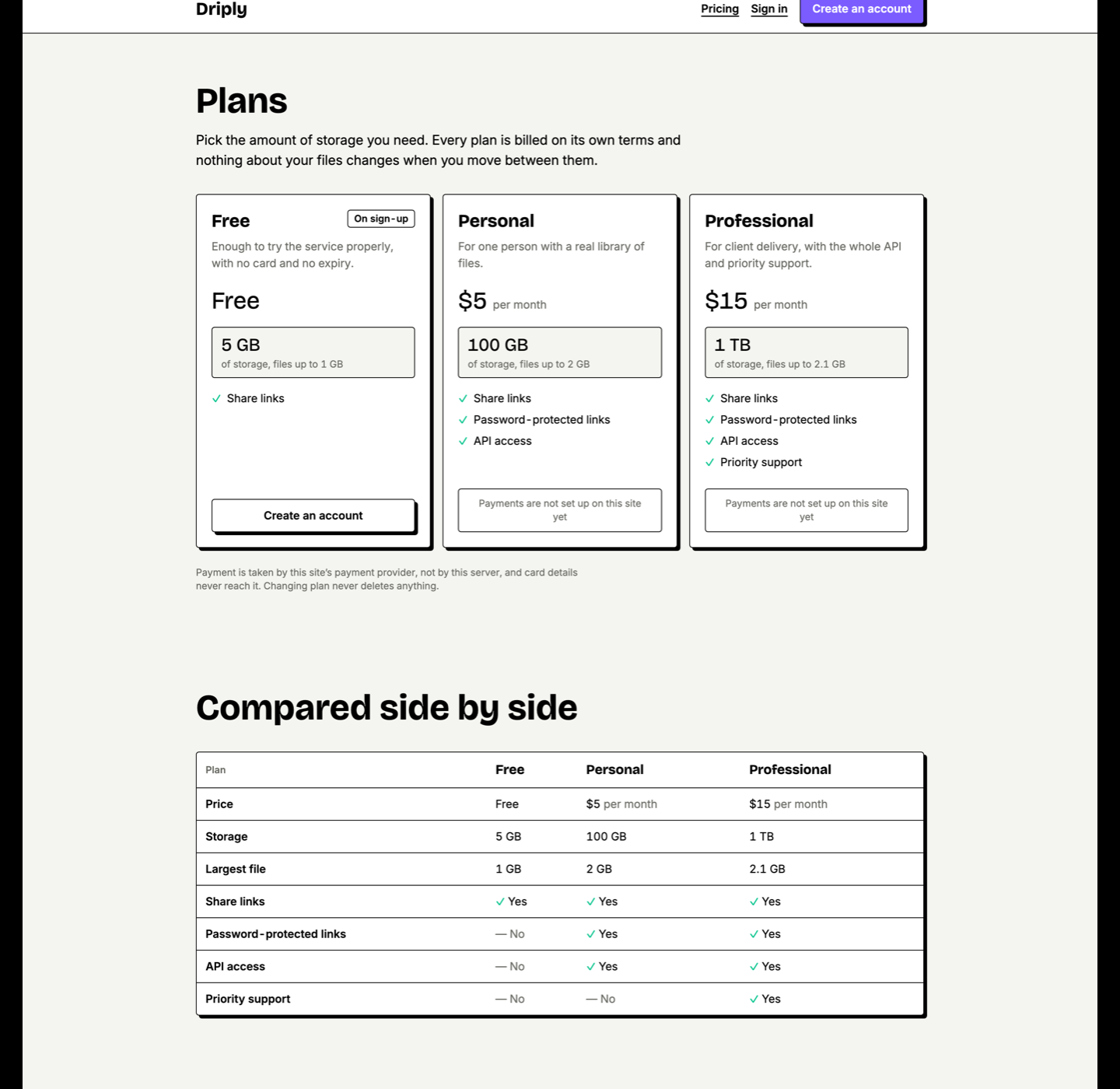
plans table, not hardcoded. Adding a plan in the admin panel adds a card here. The three shown are what pnpm db:seed creates.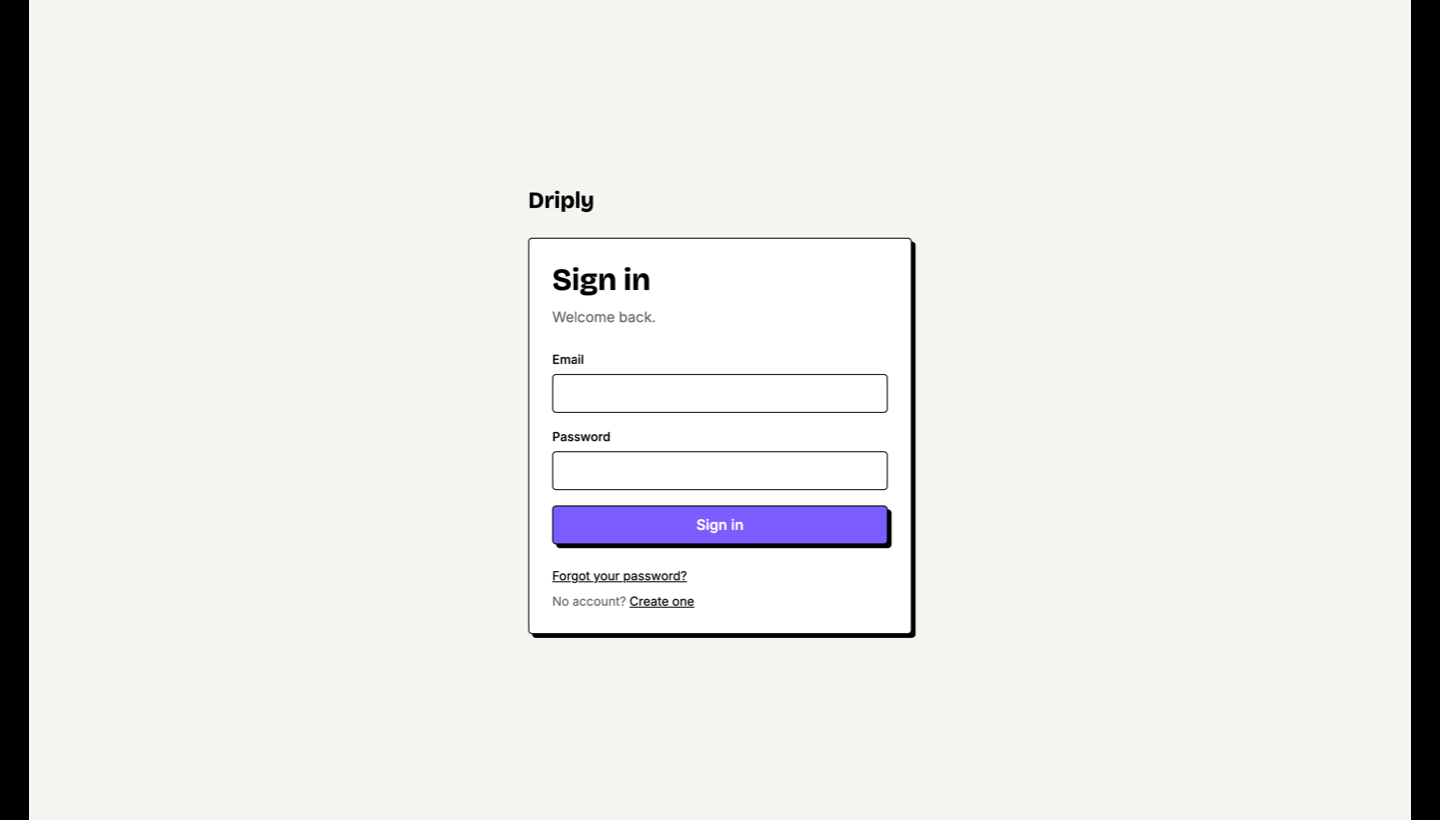
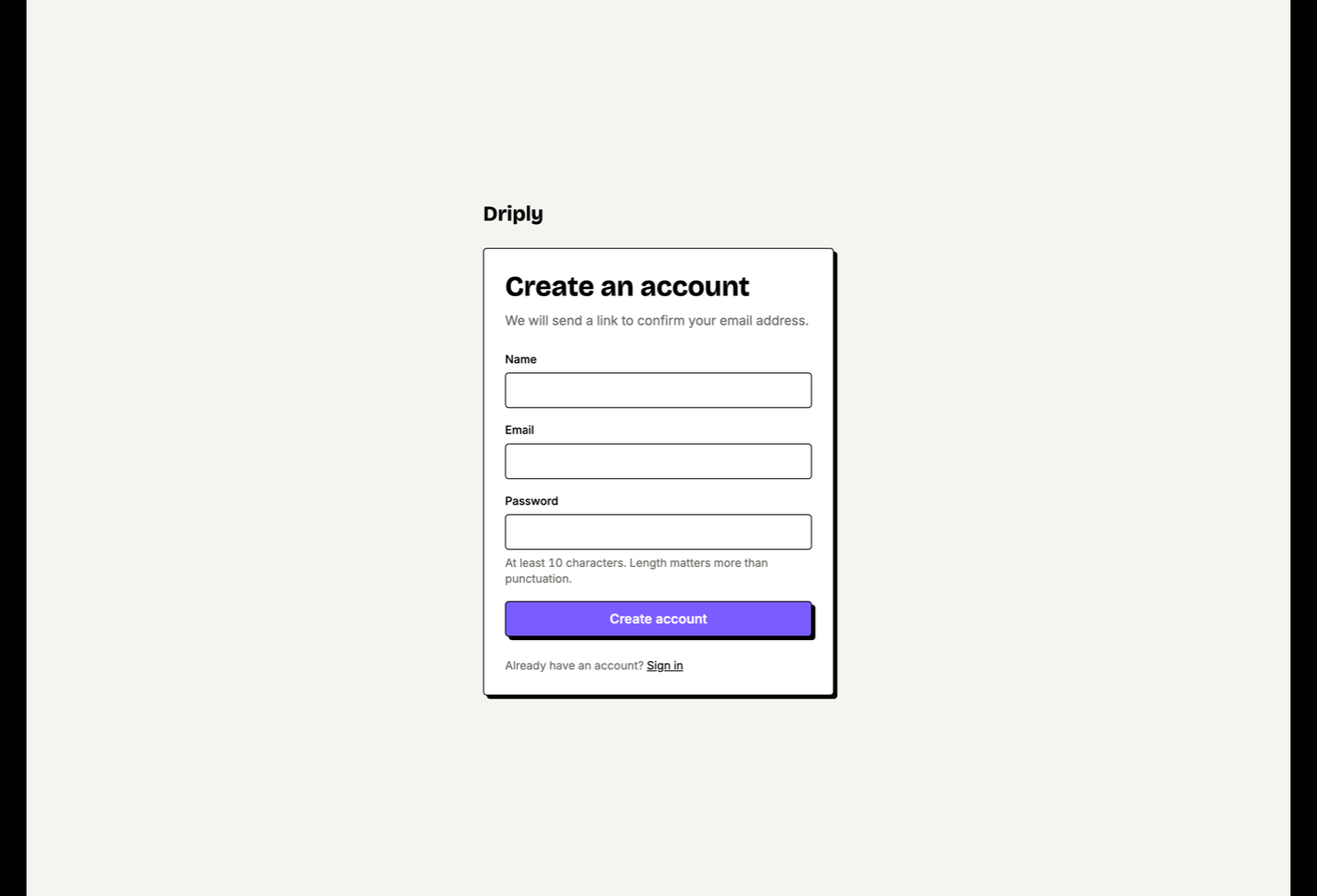
Admin panel
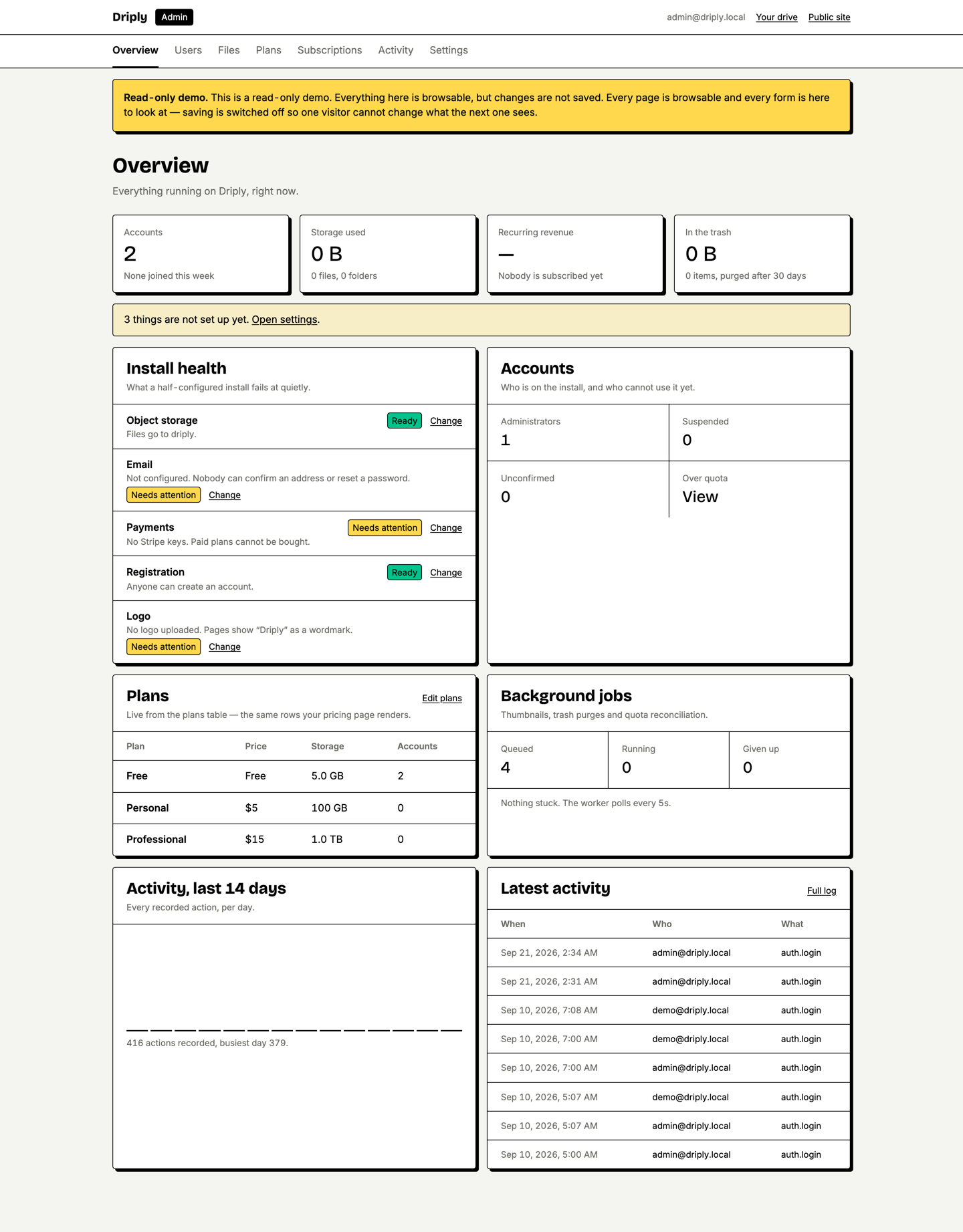
jobs table the worker polls, so a stalled worker is visible here.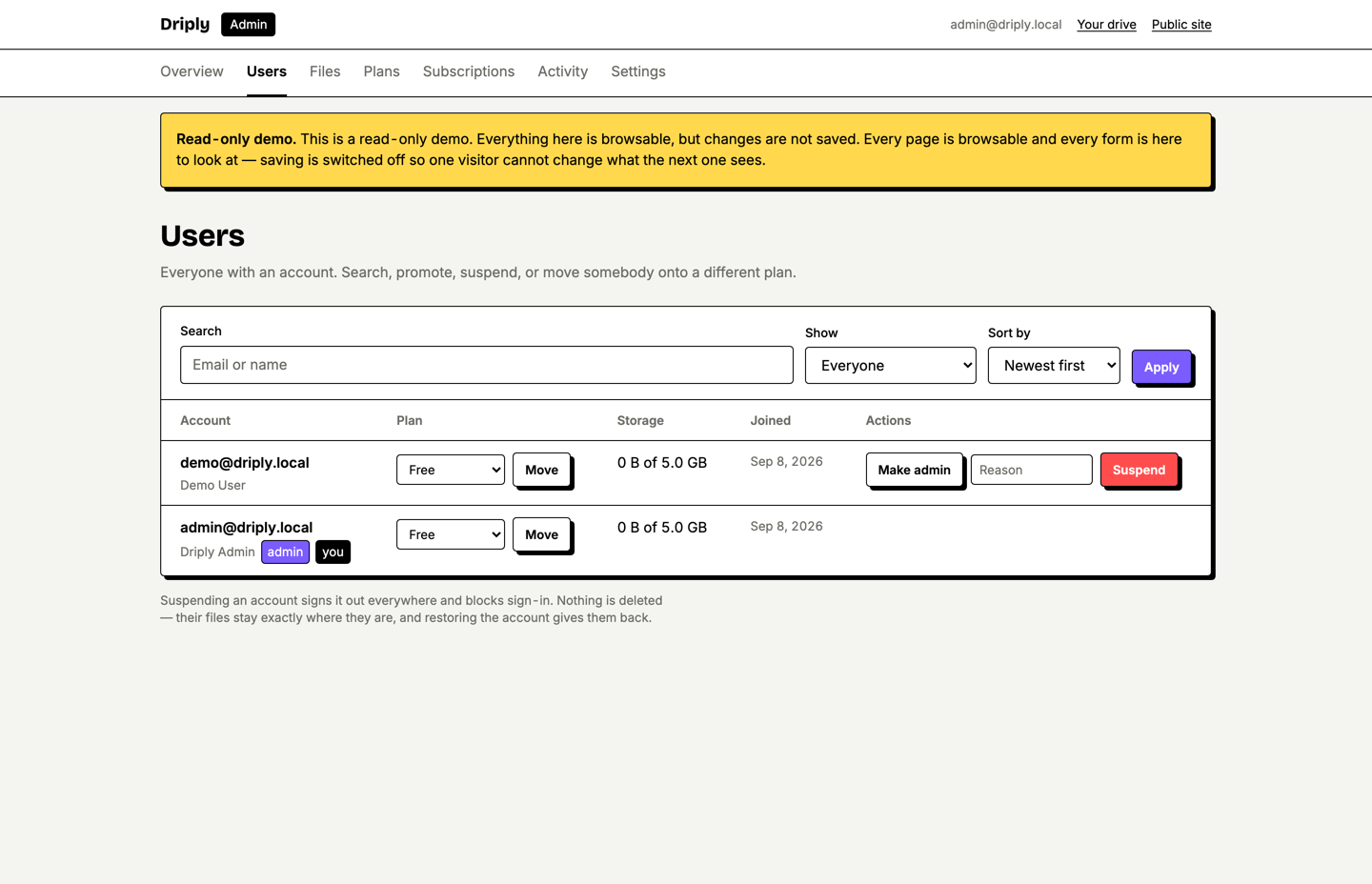
Mobile
Overview
Driply is the source code for a file-hosting service you run yourself. You point it at a PostgreSQL database and an S3-compatible bucket, and you get a working product: customers sign up, upload files, organise them in folders, share them by link, and pay you for storage.
It ships as four surfaces built from one codebase:
- Web platform — marketing pages, sign-up and sign-in, the file browser, the public share page, account and billing.
- Admin panel — users, files, plans, subscriptions, settings, branding and an activity log, at
/admin, gated on an account role. - REST API — a versioned
/api/v1surface. The mobile app is its first consumer; you can build against it too. - Flutter app — one codebase for Android and iOS, signing into the same accounts and showing the same files.
A fifth piece runs alongside them: a background worker that generates thumbnails and video posters, purges the trash, reconciles storage quotas and cleans up abandoned uploads.
Where the files actually go
Uploads never pass through your application server. The browser or the app asks Driply for a signed URL and sends the bytes straight to your bucket; downloads are a redirect to a signed URL pointing the same way. That is why a 2 GB upload does not need a 2 GB server, and why your bandwidth bill is your storage provider’s, not your host’s.
DATABASE_URL is one string — Neon, Supabase, Amazon RDS, or a PostgreSQL container you run yourself all work with no code change. Storage is one endpoint — Cloudflare R2, Amazon S3, Backblaze B2, Wasabi and DigitalOcean Spaces are all S3-compatible and all supported by the same driver. Nothing in Driply is tied to a vendor you cannot replace.What’s included
- Full commented source for the Next.js web application, the admin panel, the
/api/v1handlers and the background worker. - Full commented source for the Flutter application (Android and iOS).
- The PostgreSQL schema as Drizzle definitions — 15 tables — with 4 SQL migrations that run clean against an empty database.
- An idempotent seed script that creates the plan catalogue and an admin account.
- The design system as tokens in exactly two files, one per platform.
- Both typefaces self-hosted, with their SIL Open Font License files, cleared for you to redistribute.
- Brand mark as SVG plus generated app icons and favicons.
- The Flutter test suite — 416 passing tests.
- A
docker-compose.yml, a multi-stagedriply.Dockerfileand aCaddyfile— app, worker and a reverse proxy with automatic HTTPS, plus an optional PostgreSQL service for a fully self-contained install. - This documentation, a quick-start guide, and a deployment guide in the package.
- Six months of item support, per the CodeCanyon standard.
What is not included
Also not included, and deliberately so: end-to-end client-side encryption, a desktop sync client, and in-app purchases on mobile. Known limitations is the full list.
Features
Accounts and authentication
- Email and password sign-up with verification, password reset, and sessions stored in your database — not a signed token you cannot revoke.
- Optional Sign in with Google and Sign in with GitHub. Each is off by default; while off, its button does not render and its callback URL does not exist.
- An active-sessions list on the account page. Every session — web and mobile — is listed and can be revoked individually.
- Roles, with
/admingated on them.
Drive
- Folders nested arbitrarily deep, with move, copy, rename and multi-select.
- Chunked resumable upload. Lose the connection halfway through a large file and it continues from the last chunk that arrived rather than starting again.
- Trash with a retention window (30 days by default) and restore. Deleting a folder soft-deletes everything under it in one pass, and restoring puts it all back.
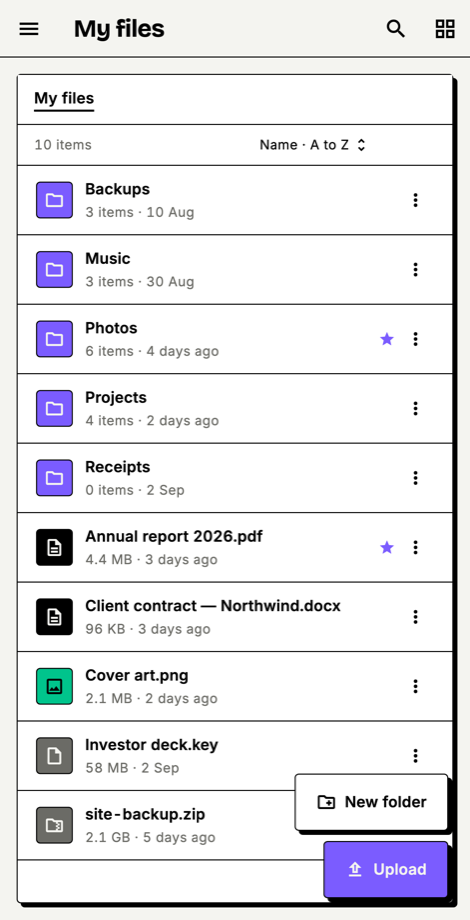
- Starred files, a recent view, list and grid layouts, and a sort the app remembers per view.
- Server-side search across names and file types, backed by a trigram index.
- An empty state on every view — an empty file browser never looks broken.
Preview
- Images, video with range-request seeking, audio, PDF, plain text and syntax-highlighted code open in the browser and in the app.
- Image thumbnails generated by
sharp; video poster frames byffmpeg; PDF first pages bypdftoppm. The last two are optional system binaries — see Integrations matrix.
Sharing
- Share any file or folder by link.
- Per-link password, expiry date, and a maximum download count.
- Drop-box mode — a link other people upload into, without an account.
- Direct shares to other accounts on your install, with view or edit permission.
- A public share page with no login wall, no app-install interstitial and no cookie banner. It is the only page a non-customer sees, so it is built to convert.
Plans, quota and billing
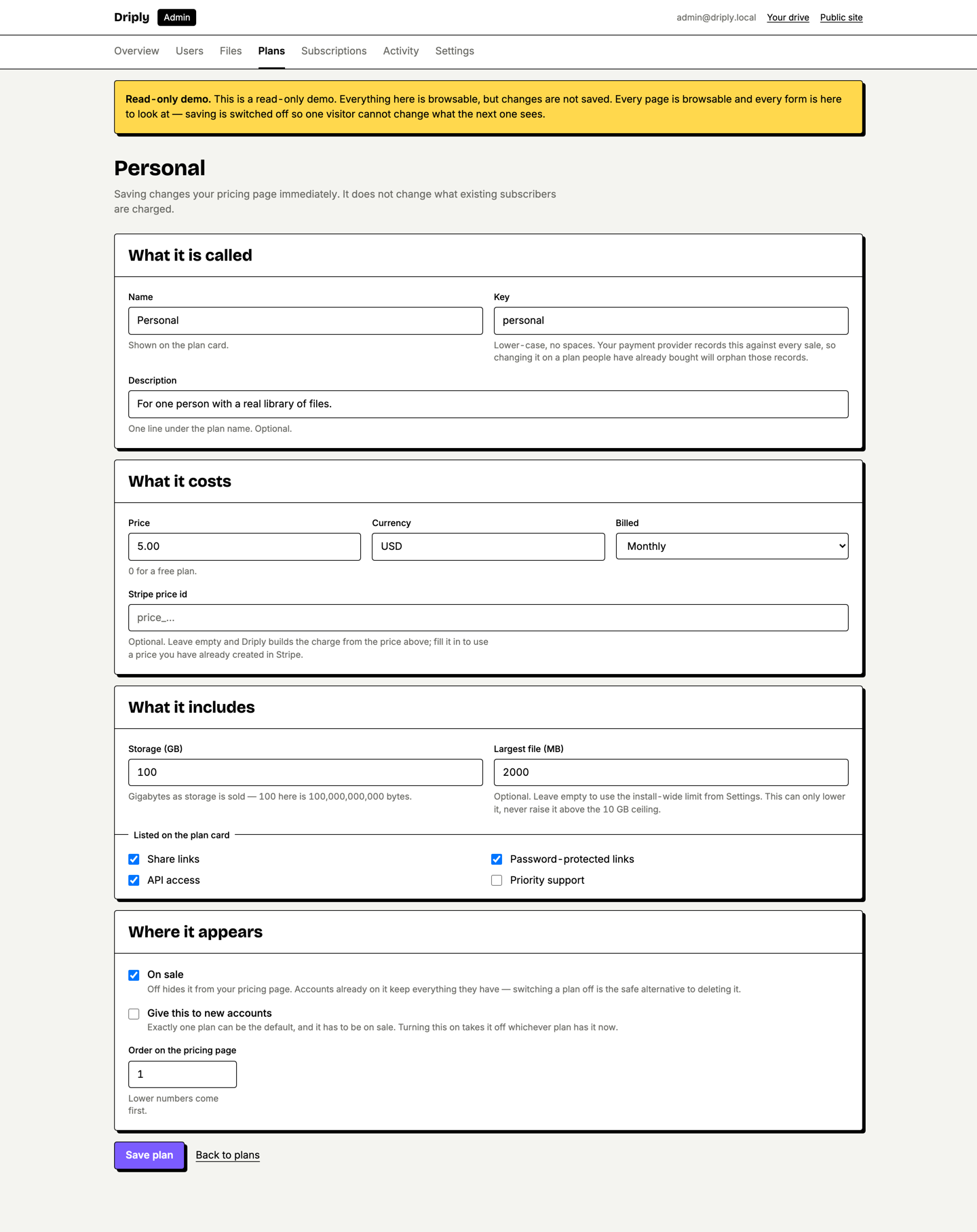
- Plans defined in the database — name, storage allowance, price, billing interval, maximum file size and feature flags — and editable in the admin panel.
- Stripe Checkout and a signature-verified webhook endpoint. You do not have to create Products or Prices in the Stripe dashboard; checkout prices each plan from its database row.
- Invoice history with PDF download.
- Quota tracked as a running total per account, adjusted inside the same transaction as the upload or delete, and reconciled nightly by the worker.
- Over quota and lapsed accounts go read-only. Downloads and deletes keep working; uploads are refused. A customer whose card fails never loses their files.
Admin panel
- Dashboard with storage, user and revenue analytics over time.
- Users — search, inspect, change plan, change role, ban and unban.
- Files — browse everything on the install, with owner and size.
- Plans — create and edit the plan catalogue, including which plan new sign-ups land on.
- Subscriptions — the current state of every paying account.
- Settings — site name, branding, registration on/off and upload limits, written to the database and applied without a redeploy.
- Activity log — an append-only audit trail written from the first day the install runs.
- A read-only mode for public demos, set by environment variable rather than by a setting the panel itself could switch off.
Mobile app
- Sign in, browse, search, upload, download, preview and share — the same account as the web.
- Uploads from the file picker, the photo library or the camera, with a progress notification while the app is in the background.
- Offline pinning — keep chosen files on the device and read them with no connection.
- Native share sheet integration.
- The session token is held in the Android Keystore and the iOS Keychain, never in shared preferences.
Architecture
driply/
├── docker-compose.yml          app + worker + reverse proxy, optional local database
├── Caddyfile                   reverse proxy, automatic HTTPS
├── web/                        Next.js application — owns its own package.json
│   ├── driply.Dockerfile       multi-stage; ffmpeg and pdftoppm included
│   ├── .dockerignore           keeps .env out of the image layers
│   ├── src/app/                App Router
│   │   ├── (marketing)/        Landing, pricing, terms, privacy
│   │   ├── (auth)/             Sign in, register, verify, reset
│   │   ├── drive/              File browser, starred, recent, trash, search
│   │   ├── s/[token]/          Public share page
│   │   ├── account/            Profile, sessions, billing, invoices
│   │   ├── admin/              Admin panel (role-gated)
│   │   └── api/
│   │       ├── v1/             REST surface consumed by the app and by you
│   │       ├── auth/           Authentication endpoints
│   │       └── webhooks/       Stripe
│   ├── src/lib/                Domain logic: files, shares, billing, admin, auth
│   ├── src/storage/            S3-compatible driver
│   ├── src/worker/             Background job loop and handlers
│   ├── src/db/                 Drizzle schema, migrations runner, seed
│   ├── src/config/             Typed, validated configuration
│   ├── src/app/theme.css       ← design tokens (web)
│   ├── drizzle/                Generated SQL migrations
│   └── .env.example
└── mobile/                     Flutter application
    ├── lib/src/features/       auth, browse, drive, upload, download,
    │                           offline, preview, search, share, settings
    ├── lib/src/theme/app_theme.dart   ← design tokens (mobile)
    ├── lib/src/config/         API origin and app-level constants
    ├── test/                   416 tests
    └── preview/                Store-ready screenshots
Stack
theme.css is the config — there is no tailwind.config.ts.jobs table in PostgreSQLFOR UPDATE SKIP LOCKED. No Redis, no queue service, nothing extra to install.Design invariants
These hold throughout the codebase. If you extend Driply, keeping them will save you pain:
- Design tokens live in exactly two files —
web/src/app/theme.cssandmobile/lib/src/theme/app_theme.dart. There are no hardcoded colours anywhere else. - Nothing reads
process.envat a call site. All configuration goes through the typed config module, which validates at boot and falls back to thesettingstable. ESLint enforces this. - The web app never calls its own REST API over HTTP. Pages read the domain layer directly. The two exceptions are the upload engine and the download link, both of which need to reach object storage rather than the server.
- Folders are rows in the files table, not a separate table, which is what makes move, copy and recursive trash simple.
- Deleting is always
deleted_atplus a worker purge. Nothing is hard-deleted at the moment a user clicks. /adminanswers 404 to non-admins, not 403 — a 403 would confirm the route exists.
Installation
Requirements
ffmpegpdftoppmInstall and run
ffmpeg and pdftoppm are already in the image. What follows is the manual path.cd web
pnpm install
cp .env.example .env # then fill it in — see below
pnpm db:migrate # create the schema
pnpm db:seed # create plans and an admin account
pnpm dev # http://localhost:3000In a second terminal, start the worker. Thumbnails, trash purging and quota reconciliation are its job, so an install without it works but never finishes anything in the background:
cd web
pnpm worker
The minimum you must configure
Everything is documented inline in .env.example. These six have no working default:
openssl rand -base64 32. Rotating it signs everyone out.Building for production
cd web
pnpm build      # next build, then copies static assets into the standalone bundle
pnpm start # runs the built serverpnpm start is not next start. The build emits a standalone server and a post-build step copies the static assets and public/ into it. Run the package scripts as given — starting the server another way produces a site with no CSS that still passes a health check.Database
Driply needs one PostgreSQL database. Any PostgreSQL 14+ works: a managed service, or one you run yourself.
- 01
Create the database and set both URLs
Two connection strings, because migrations and the running app have different needs. Migrations issue DDL and take a session-scoped advisory lock, which does not survive a transaction-mode connection pooler. On a managed provider that offers pooling, put the pooled string in
DATABASE_URLand the direct one inDATABASE_URL_UNPOOLED. On a plain PostgreSQL server there is no pooler, so use the same string for both. - 02
Run the migrations
terminalpnpm db:migrateFour migrations, applied in order, creating fifteen tables:
plans,users,accounts,sessions,verifications,files,file_shares,share_links,upload_sessions,subscriptions,invoices,settings,jobs,activity_logandapi_tokens. - 03
Seed the plan catalogue and your admin account
terminalpnpm db:seedThis creates three plans and two accounts, then prints the generated passwords once:
PlanStoragePriceMax fileFree (default for new sign-ups)5 GBFree1 GBPersonal100 GB$5 / month2 GBProfessional1 TB$15 / month5 GBThe accounts are
admin@driply.local(admin) anddemo@driply.local(ordinary user). Change the addresses and prices in the admin panel afterwards — they are starting points, not fixtures.
There is no default password in this package, and you should not add one. The seed invents a strong random password for each account and prints it to your terminal once. Copy it then. A shipped default credential is the most common way a self-hosted install gets compromised.
If you need fixed credentials — for a public demo where you publish them on purpose — set SEED_ADMIN_EMAIL / SEED_ADMIN_PASSWORD (and the SEED_DEMO_* pair) in .env before seeding.
SEED_* variables leaves existing passwords alone.Object storage
Required. Every file lives in S3-compatible object storage. There is no local-disk mode — the app will not start without a bucket. That is a deliberate design choice: uploads and downloads go directly between the browser or app and the bucket using signed URLs, so file bytes never pass through your server and a large upload never occupies it.
Choosing a provider
Any S3-compatible provider works. Only the endpoint changes:
CORS — do not skip this
Because browsers upload straight to the bucket, the bucket must accept requests from your site. This is the single most common setup failure: everything looks configured, the app starts, and then every upload from a browser fails. Paste this into your bucket’s CORS settings, changing only the origins.
[
  {
    "AllowedOrigins": [
      "https://drive.yourdomain.com"
    ],
    "AllowedMethods": ["PUT", "GET", "HEAD"],
    "AllowedHeaders": ["*"],
    "ExposeHeaders": ["ETag"],
    "MaxAgeSeconds": 3600
  }
]
Where each line matters:
APP_URL, scheme included and no trailing slash. Add a second entry such as http://localhost:3000 while you develop. Avoid "*" in production — it lets any site drive uploads with a URL it has managed to obtain.PUT uploads each part. GET and HEAD cover in-browser preview and range requests for video playback.Content-Type derived from the file and the signed request carries its own headers. "*" is the reliable setting; if your policy forbids wildcards, list content-type at minimum.ETag of every part and sends it to the server to assemble the finished object. Without this the PUT succeeds but script cannot see the header, so every multi-part upload fails at the last step. Driply detects this exact case and reports it by name rather than failing silently.<CORSConfiguration>
<CORSRule>
<AllowedOrigin>https://drive.yourdomain.com</AllowedOrigin>
<AllowedMethod>PUT</AllowedMethod>
<AllowedMethod>GET</AllowedMethod>
<AllowedMethod>HEAD</AllowedMethod>
<AllowedHeader>*</AllowedHeader>
<ExposeHeader>ETag</ExposeHeader>
<MaxAgeSeconds>3600</MaxAgeSeconds>
</CORSRule>
</CORSConfiguration>A CORS change can take a minute or two to apply, and browsers cache the preflight for MaxAgeSeconds. After editing, hard-reload before deciding it did not work.
Third-party services and costs
This item is source code, not a hosted service. Your purchase includes no hosting, no database, no object storage, no third-party account and no credit with any provider. Every service below is operated by a third party, billed to you directly by that third party, under pricing that we neither set nor control and that can change at any time.
Check each provider’s current pricing yourself before you commit. The figures below are indicative only and were correct at the time of writing.
Required — Driply does not run without these
Optional — off until you configure them
ffmpeg, pdftoppmTwo costs scale with your success rather than sitting flat: storage, which grows with every file your customers keep, and payment processing, which grows with revenue. Price your plans with both in mind.
Integrations matrix
Everything optional degrades quietly. Nothing crashes, nothing retries forever, and no feature half-appears in the interface when its dependency is missing.
ffmpegOptionalpdftoppmOptionalffmpeg. PDFs still open in the browser’s viewer.sharppnpm install.ffmpeg or pdftoppm after starting the worker, restart the worker or it will keep believing they are absent.Driply sends transactional email over plain SMTP through nodemailer. Any provider works — a transactional email service, your own mail server, or a mailbox with SMTP enabled. There is no proprietary email API to sign up for.
If you do not already have one, Brevo, Mailgun, Postmark, SendGrid and Amazon SES all expose standard SMTP credentials and several offer a free or low-cost starting tier. They are independent companies that bill you directly, and their pricing and free allowances are theirs to change — check the current terms yourself before relying on one.
SMTP_HOST=smtp.example.com
SMTP_PORT=587
SMTP_USER=your-username
SMTP_PASSWORD=your-password
SMTP_SECURE=false          # true for implicit TLS on 465, false for STARTTLS on 587
MAIL_FROM=Driply <no-reply@yourdomain.com>REGISTRATION_ENABLED=false and create accounts yourself in the admin panel.Payments
Billing runs on Stripe Checkout. Leave the keys empty and Driply runs perfectly well without billing — plans and quotas still apply, there is simply nothing to buy.
- 01
Set the keys
.envSTRIPE_SECRET_KEY=sk_live_... STRIPE_WEBHOOK_SECRET=whsec_... - 02
Add one webhook endpoint
In the Stripe dashboard, point a webhook at
<APP_URL>/api/webhooks/stripeand subscribe it to:checkout.session.completedinvoice.paidcustomer.subscription.deletedcustomer.subscription.updated(optional, but keeps cancellations current)
Then paste that endpoint’s signing secret into
STRIPE_WEBHOOK_SECRET. Every incoming webhook has its signature verified before anything is read from it; a request that cannot be verified is rejected with a 400 and changes nothing.
plans table, so editing a price in the admin panel is enough. If you already have a Stripe Price you would rather use, put its id in that plan’s features JSON as stripePriceId and it will be used instead.Other payment gateways
Billing sits behind a deliberately narrow PaymentProvider interface — start a checkout, verify a webhook signature, read the event. Stripe is the only implementation included. The interface is the extension point for adding a regional gateway; implementing one is development work, not configuration.
Background worker
The worker is a plain Node process. It polls a jobs table every five seconds and claims work with SELECT … FOR UPDATE SKIP LOCKED, so you can run more than one copy and they will not collide.
cd web
pnpm workerTRASH_RETENTION_DAYS.Mobile app
cd mobile
flutter pub get
flutter run
Point it at your server — do this first
The app ships pointing at our public demo so it runs the moment you open it. It will not show your data until you change this. Edit the API origin in mobile/lib/src/config/app_config.dart:
static const String _apiOrigin = 'https://drive.yourdomain.com';Or override it at build time without editing the file, which is the convenient path for CI:
flutter build apk --dart-define=DRIPLY_API_ORIGIN=https://drive.yourdomain.comhttp://10.0.2.2:3000 and the iOS simulator at http://localhost:3000 — and note that plain HTTP needs a platform exception you should not ship to production.Renaming the app
mobile/android/app/build.gradle.ktsmobile/android/app/src/main/AndroidManifest.xmlmobile/ios/Runner/Info.plistPlatform targets
minSdktargetSdk / compileSdkShipping the app to the stores
You need a Mac only for the iOS half. Android can be built and published from Windows, macOS or Linux.
Android — one-time setup
- 01
Create an upload keystore
This is your signing identity. Keep it safe: lose it and you cannot ship an update to an app already on Play under the same listing.
terminalkeytool -genkey -v -keystore ~/driply-upload.jks \ -keyalg RSA -keysize 2048 -validity 10000 -alias upload - 02
Point the build at it
Create
mobile/android/key.properties:key.propertiesstorePassword=<the store password you just chose> keyPassword=<the key password you just chose> keyAlias=upload storeFile=/Users/you/driply-upload.jksThat is the whole configuration — no Gradle editing.
android/app/build.gradle.ktsalready looks forkey.propertiesand signs the release build with it when the file is there. When it is absent the release build falls back to debug keys soflutter run --releasestill works on a fresh clone; a debug-signed build is rejected by both stores, so it cannot be published by mistake.key.properties,*.jksand*.keystoreare all gitignored — never commit a signing key. - 03
Build the bundle Google Play requires
Play takes an
.aab, not an APK:terminalcd mobile flutter build appbundle --releaseThe result is at
build/app/outputs/bundle/release/app-release.aab. A standalone APK for direct distribution — your own website, or sideloading for an internal team — isflutter build apk --releaseinstead.
Android — publishing
- 01Register at the Google Play Console. It is a one-off fee, currently US$25, paid to Google.
- 02Create an app, and set the package name to whatever you changed the application ID to above. It is permanent — it cannot be changed after the first upload.
- 03Upload the
.aabto a testing track first, then production. - 04Fill in the store listing, a privacy policy URL, and the Data safety form. Driply uploads files to your storage, so the answers describe your service, not ours.
- 05Bump
version:inmobile/pubspec.yamlfor each subsequent upload — it supplies bothversionCodeandversionName, and Play refuses a version code it has already seen.
iOS — one-time setup
Requires a Mac with Xcode and an Apple Developer Program membership, currently US$99 a year, paid to Apple.
- 01Register your bundle identifier in the Apple Developer portal — the same value you set in Xcode, and permanent once used.
- 02Open
mobile/ios/Runner.xcworkspacein Xcode, select Runner → Signing & Capabilities, tick Automatically manage signing and choose your team. Xcode creates the certificate and provisioning profile for you; this is far less painful than managing them by hand. - 03Create the app record in App Store Connect with that bundle identifier.
cd mobile
flutter build ipa --release
Upload build/ios/ipa/*.ipa with Apple’s Transporter app, or open the generated Xcode archive and use Distribute App. Then submit for review from App Store Connect. Expect to answer the export-compliance question — the app uses only standard HTTPS — and to supply a privacy policy and App Privacy answers describing your service.
Before you build either one
- Set the API origin to your server, as described above. An app pointing at our demo is the single easiest thing to ship by accident — check it first.
- Change the application ID and bundle identifier off
dev.devsnack.driply. Both are permanent once published, anddev.devsnackis our namespace, not yours. - Replace the app name and icon so the listing is yours.
- Your server must be on HTTPS with a certificate from a real authority. Both platforms block plain HTTP, and a self-signed certificate fails on a real device even though it may work in a simulator.
If you would rather not deal with the stores at all, you do not have to. The web app is a full-featured responsive site that works in a mobile browser, and a signed APK can be distributed straight from your own website. The stores are a distribution choice, not a requirement for running Driply.
Deployment
Driply is built for a long-running Node process — a VPS, a container, or a platform that runs containers. The build emits a self-contained standalone server.
Two processes
Whatever you deploy on, you are running two things against the same database and bucket:
pnpm build then pnpm startpnpm workerffmpeg and pdftoppm installed if you want video and PDF thumbnails.With Docker — the shortest path
The package ships a docker-compose.yml at its root that runs both processes plus a reverse proxy with automatic HTTPS. ffmpeg and poppler-utils are already inside the image, so video posters and PDF thumbnails work with nothing further to install.
cp web/.env.example web/.env            # then fill it in
docker compose run --rm app pnpm db:migrate
docker compose run --rm app pnpm db:seed     # save the password it prints
docker compose up -d
For a real domain, set DRIPLY_SITE_ADDRESS and Caddy obtains and renews the certificate itself:
DRIPLY_SITE_ADDRESS=drive.example.com docker compose up -dPoint the domain’s DNS at the server first — certificate issuance requires the name to resolve there. Set APP_URL in web/.env to the same HTTPS origin.
Bringing your own database, or not
By default the compose file contains no database: DATABASE_URL points at whatever PostgreSQL you already have. If you would rather have everything on one machine, an optional profile runs PostgreSQL alongside it:
docker compose --profile local-db up -dThen set both database URLs in web/.env to postgresql://driply:<POSTGRES_PASSWORD>@db:5432/driply, and override POSTGRES_PASSWORD — the default in the file exists so a first trial runs, and is not a production password. Data lives in a named volume, so it survives docker compose down; docker compose down -v deletes it.
The image file is web/driply.Dockerfile, not Dockerfile. docker-compose.yml points at it by name, so the commands above work as written and you can ignore this. It only matters if you build the image by hand, which needs docker build -f driply.Dockerfile . from inside web/.
The name is deliberate: some hosting platforms auto-detect a file called Dockerfile and build from it whether or not you asked them to, overriding the build settings you configured. Naming it something else keeps that choice yours. Rename it if you prefer — just update build.dockerfile in docker-compose.yml to match.
web/.env, never through the build. The .dockerignore excludes .env for a specific reason: a COPY . . that picks it up bakes your credentials into an image layer, where they survive being deleted in a later layer and can be read by anyone who pulls the image.On a VPS, without Docker
- 01Install Node.js 20.11+ and pnpm. Install
ffmpegandpoppler-utilsif you want video posters and PDF thumbnails. - 02Copy the
web/directory to the server, create.env, and runpnpm install. - 03
pnpm db:migrate, thenpnpm db:seed. - 04
pnpm build - 05Run
pnpm startandpnpm workerunder a process supervisor —systemd,pm2or your platform’s equivalent — so both restart on boot and on failure. - 06Put Nginx, Caddy or your platform’s router in front with a TLS certificate, and set
APP_URLto the public HTTPS origin.
On a container platform
Deploy the repository twice from the same source: once with the start command pnpm start, once with pnpm worker. Give both the same environment variables. Run pnpm db:migrate once as a release step, not on every boot of every instance.
web/DEPLOYMENT.md in the package, including the environment split between the two processes and a first-deploy checklist.Upgrading
Take a database backup first — the same advice applies to any software you run. Migrations are additive and are applied in order; your data stays put.
# Docker
docker compose build
docker compose run --rm app pnpm db:migrate
docker compose up -d

# Without Docker
cd web && pnpm install && pnpm db:migrate && pnpm build
# then restart both processesBranding and customization
Colours and type
The whole design system is tokens in two files. Change them and both surfaces follow — this is the fastest, highest-leverage customization in the package.
web/src/app/theme.cssmobile/lib/src/theme/app_theme.dartThere is no tailwind.config.ts and you should not add one — Tailwind v4 is CSS-first, so theme.css is the configuration.
Worked example: change the accent colour
Driply’s accent is violet. Suppose your brand is teal. This is the entire change on the web — one line, in web/src/app/theme.css:
Before
@theme {
  --color-accent: #7b5cff; /* primary action, links, active nav */
}
After
@theme {
  --color-accent: #0d9488; /* primary action, links, active nav */
}
Save, and every primary button, link, active navigation item, focus ring and progress bar in the web app and the admin panel is teal. You do not hunt for the other places — there are none. Row selection in the drive follows too, because it is derived from the same token rather than written out a second time:
--color-accent-selected: color-mix(in srgb, var(--color-accent) 12%, transparent);The mobile app is the matching one-line change in mobile/lib/src/theme/app_theme.dart, in Flutter’s 0xAARRGGBB notation — the same hex with 0xFF in front of it for full opacity:
Before
static const Color accent = Color(0xFF7B5CFF);After
static const Color accent = Color(0xFF0D9488);accentDark — the accent used on dark backgrounds, lightened so it keeps a readable contrast ratio against the dark page. Set it to a lighter tint of your new colour (for teal, 0xFF2DD4BF) rather than leaving the violet behind. If you skip this, light mode is correct and dark mode still shows the old accent.Every other colour in the palette works exactly the same way — change the value, save, done. Two rules keep the result looking deliberate rather than broken: keep --color-ink true black, because the design’s borders and hard shadows depend on it, and check contrast if you pick a pale accent, since white button text needs a dark enough background to stay legible.
Typography is Bricolage Grotesque for headings and Inter for interface text, both self-hosted in web/src/assets/fonts/ with their SIL Open Font License files. They are licensed for you to redistribute, and nothing is fetched from a font CDN — so your site works for visitors in regions where those CDNs are blocked, and loads without a third-party request.
Name, logo and copy
- Site name and marketing copy — the admin settings page, applied without a redeploy. Defaults live in
web/src/config/brand.ts. - Logo — upload in admin, or replace
web/public/brand/driply-mark.svg. - Terms and privacy — templates in
web/src/config/legal.ts, editable from admin. They are starting points; have a lawyer look at yours. - Plans and prices — the admin plans page, or
web/src/db/seed/plans.tsbefore first seed. - Upload limits —
UPLOAD_MAX_FILE_SIZE_BYTES(2 GB default) andUPLOAD_CHUNK_SIZE_BYTES(8 MB default). The maximum file size is capped at 10 GB in the configuration module.
REST API
Everything under /api/v1 is a stable, versioned contract. The Flutter app is its first consumer, and you can build your own clients against it.
Authenticating
Driply uses session bearer tokens. A client signs in once with an account’s credentials, receives a token, and sends that token on every subsequent request. This is the same database-backed session the web app uses — which is the point: a token issued to a script or a phone shows up in that account’s active-sessions list at /account and can be revoked from there. A token that could not be revoked would be a worse deal for your customers.
Step 1 — obtain a token. POST the credentials to the sign-in endpoint:
curl -i -X POST https://drive.yourdomain.com/api/auth/sign-in/email \
  -H 'Content-Type: application/json' \
  -d '{"email":"you@example.com","password":"your-password"}'
The token comes back as a response header, not in the body:
HTTP/1.1 200 OK
set-auth-token: 8f2c1d...e91aset-auth-token header, not the token field in the JSON body. The body’s copy is unsigned and will be rejected. This trips people up exactly once, and the symptom is a 401 on every call that looks correct.Step 2 — send it on every request to /api/v1:
curl https://drive.yourdomain.com/api/v1/files \
  -H 'Authorization: Bearer 8f2c1d...e91a'
Store the token the way a password is stored. It is as good as the account until it expires or is revoked; sessions last 30 days by default. Signing out, or revoking the session from /account, invalidates it immediately. A request without a valid token gets 401; a valid token acting on someone else’s file gets 404, not 403, so the API never confirms that a file it will not show you exists.
The api_tokens table
If you read the schema you will find an api_tokens table, and it is fair to ask what it does, because nothing in this release reads or writes it. It is a reserved structure, not a feature — we are calling that out rather than letting you discover it.
It is there for named, long-lived integration tokens: the case where you want a backup script, a CI job or a desktop sync client to hold a credential that is not tied to a human’s 30-day login session — mintable per integration, individually revocable, and independently expiring. The columns show the intended shape: a name so you can tell one integration from another, a token_hash (only a SHA-256 digest is ever stored, so the token itself is shown once at creation and is unrecoverable afterwards), last_used_at, expires_at and revoked_at.
/api/auth/sign-in/emailAuthorization: Bearer <token>/account → active sessionsSo: use the session bearer token above for everything today. It authenticates the whole of /api/v1 and has no functional gap for a third-party client — the Flutter app in this package is built on it and uses nothing else. The table is left in the schema deliberately so that adding named tokens later is a migration you do not have to write, and so that a half-built feature is not shipped pretending to be finished.
Endpoints
Security
- No credential ships in this package. Every value in
.env.exampleis a placeholder. There are no keys in the web bundle, none in the app binary, and no default password anywhere. - The mobile app holds no third-party credentials at all. It talks only to your
/api/v1surface; every Stripe, SMTP and storage secret stays on your server. An APK can be unpacked in minutes, which is why nothing sensitive is in it. - Sessions live in your database and can be revoked individually from the account page — web and mobile alike.
- Signed URLs are short-lived and scoped to a single object.
- Stripe webhooks are signature-verified before anything in the payload is read.
/adminreturns 404 to non-admins, so the route’s existence is not disclosed.- Passwords are hashed, never stored or logged in the clear.
- The activity log is written from day one, because an audit trail cannot be backfilled after you need it.
Set a strong unique AUTH_SECRET, keep .env out of version control, run behind HTTPS, and use storage credentials scoped to the one bucket Driply uses.
Production checklist
- 01
APP_URLis your public HTTPS origin, with no trailing slash. - 02
AUTH_SECRETis freshly generated and at least 32 characters — not the value from.env.example. - 03Both database URLs are set, and
pnpm db:migratehas been run. - 04
pnpm db:seedhas been run and you have saved the printed admin password. - 05You have signed in to
/adminand changed the seeded admin email and password. - 06Bucket CORS allows your origin for
PUTandGET, withETagexposed. - 07SMTP is configured — or public registration is off.
- 08The worker is running under a supervisor, alongside the web process.
- 09
ffmpegandpdftoppmare installed if you want video and PDF thumbnails, and the worker was restarted afterwards. - 10Stripe keys and the webhook endpoint are set, if you are charging.
- 11Plans, prices and storage limits reflect what you actually intend to sell.
- 12Site name, logo, colours, terms and privacy have been reviewed.
- 13The mobile app’s API origin points at your server, not the demo.
- 14
ADMIN_READ_ONLYisfalse— it is a demo switch, not a production one. - 15If you are on Docker:
DRIPLY_SITE_ADDRESSis your real domain so HTTPS is issued, and — if you run thelocal-dbprofile —POSTGRES_PASSWORDis not the default from the compose file. - 16Database backups are scheduled. A named Docker volume is not a backup.
Troubleshooting and FAQ
Nearly every first-install problem is one of the five below, and the first two account for most of them. Each one starts with what you actually see, because a symptom is what you have when something goes wrong.
Start here: sign in as an administrator and open Admin → Overview. The Install health panel names what is unconfigured — storage, email, payments, registration, logo — and links to the setting that fixes it. It is faster than reading logs, and it is there precisely because a half-configured install fails quietly rather than loudly.
Uploads fail in the browser, but everything else works
Symptom. Sign-in works, the file browser loads, but dropping a file shows an upload error. The browser console has a message mentioning CORS, Access-Control-Allow-Origin, or a failed PUT to your storage endpoint. Alternatively the parts upload to 100% and then the upload fails right at the end with a message about a missing ETag.
Cause. The browser sends file bytes straight to your bucket, so the bucket — not Driply — has to allow requests from your site. A bucket with no CORS policy rejects them all.
Fix. Apply the CORS policy in Object storage. Two details are where people get caught:
ExposeHeadersmust includeETag. This is the cause of the “uploads reach 100% then fail” version. The upload succeeds, but the browser is not permitted to read back the part’s identifier, so the file can never be assembled. Driply detects this exact case and says so by name rather than failing silently.- The origin must match exactly — scheme included, no trailing slash.
https://drive.example.comandhttps://drive.example.com/are not the same value, andhttp://does not matchhttps://.
After changing a CORS policy, give it a minute and hard-reload. Browsers cache the preflight result, so the old answer can outlive the fix and make a correct policy look broken.
Verification emails never arrive — and new accounts cannot upload
Symptom. You register an account, no email arrives, and the upload area says “Confirm your email address first.” Password resets do not arrive either.
Cause. SMTP is not configured. Driply never fails an install over unset mail settings, so the app starts and runs normally — but nothing can be delivered, and uploading requires a confirmed address.
Fix. Set SMTP_HOST, SMTP_PORT, SMTP_USER, SMTP_PASSWORD and the from-address, then restart. Email covers the settings and names providers with a free tier. Then check, in order:
- Port and encryption agree. Port 465 needs
SMTP_SECURE=true; port 587 needsSMTP_SECURE=false, because it upgrades the connection after connecting. Mismatching these is the usual cause of a connection that hangs and then times out. - The from-address is one the provider has verified. Most providers silently drop mail from an unverified domain or sender.
- Many VPS hosts block outbound port 25, and some block 587. Use your provider’s submission port, or an API-based relay.
- Look in spam before concluding nothing was sent. A new sending domain with no SPF or DKIM records lands there routinely — set those up at your DNS host.
If you are locked out right now and need an account working before SMTP is sorted, mark it confirmed directly in the database:
UPDATE users SET email_verified = true WHERE email = 'you@example.com';That is a deliberate stopgap for your own administrator account, not a substitute for working email — your customers cannot reset their passwords without it.
Thumbnails never appear, and the trash never empties
Symptom. Files upload and download correctly, but previews stay generic, video posters never generate, deleted files sit in the trash forever, and storage figures drift away from reality. Nothing errors.
Cause. The background worker is not running. Driply is two processes: the web app and a worker. The web app is perfectly usable without the worker, which is exactly why this is missed — nothing breaks loudly, it just quietly never happens.
Fix. Start the worker alongside the app:
cd web
pnpm worker
It polls for work every five seconds. Confirm it in Admin → Overview: the Background jobs panel shows queued, running and given-up counts. A queue that keeps growing while nothing runs means the worker is not up.
DATABASE_URL and storage settings as the web app. Run it from web/ so it reads the same .env.tsx: not foundtsx is a runtime dependency here, not a development one — the worker runs TypeScript directly. An install that skipped it will fail here and nowhere else.ffmpeg and PDF first pages need poppler-utils. When a binary is missing the file is marked unsupported and the log names the package to install — it does not retry or fail the job. Both are already in the Docker image.Under Docker both processes start together and this does not come up. On a bare VPS, run the worker under the same process manager as the app so it restarts with the machine — Deployment covers that.
The mobile app will not connect to my server
Symptom. The app opens but sign-in fails, hangs, or reports a network error, while the same credentials work in a browser.
Cause and fix, in the order worth checking:
https://drive.example.com. Not a trailing slash, and not .../api/v1; the app appends the path itself.localhost — that is the emulator. Use http://10.0.2.2:3000. The iOS simulator does use http://localhost:3000. Both need a platform exception for plain HTTP, which you should not ship to production.https://your-domain/api/v1/health in a browser. If that does not answer, the problem is DNS, the firewall or the proxy — not the app.The site loads but has no styling
Symptom. Pages render as unstyled text. The app is running and its health check passes.
Cause. The production build is a standalone bundle, and the static assets live beside it. Starting the emitted server directly — or copying only part of the build output — serves the HTML without the CSS.
Fix. Build and start with the provided scripts rather than calling Next.js directly:
cd web
pnpm build
pnpm start
pnpm build copies the static assets into the bundle and pnpm start launches it with the correct network binding. Substituting next start for pnpm start produces exactly this symptom — and it still passes its health check, which is what makes it confusing.
Frequently asked
/admin returns 404 and I am signed inrole = 'admin'; the seed script creates one, and an existing administrator can promote another from Admin → Users.ADMIN_READ_ONLY is switched on. It makes every page browsable and refuses every write — it is for public demos. Unset it and restart./api/webhooks/stripe and it verifies signatures, so the signing secret must be the one for that endpoint — each endpoint has its own, and test and live mode differ. A 400 here is a signature mismatch. Stripe’s dashboard shows every attempt and its response.If none of this matches what you are seeing, write in — Support and licensing. Telling us your Node version, database and storage providers, and the exact error text gets you a useful answer in one round rather than three.
Known limitations
Stated plainly so you can decide before you buy rather than discover afterwards.
S3_PUBLIC_URL is present but not yet used — every URL is signed against S3_ENDPOINT.Changelog
Every version published so far. Updates are free for the life of the item.
Support and licensing
Six months of item support are included with your purchase, per the CodeCanyon standard, and can be extended at any time from your Envato downloads page.
What support covers: answering questions about how Driply works, help with the setup in this guide, and fixing defects in the code you were sold. What it does not cover: hosting, server administration, third-party accounts, or customisation work — Envato’s item support policy excludes these. We are glad to quote for customisation separately.
When you write in, telling us your Node version, your database and storage providers, and the exact error text gets you a useful answer in one round rather than three.
Licensing
Driply is sold under Envato’s standard licences. A Regular License covers one end product that your end users are not charged for. If you are charging your users — which is the entire point of a storage service with paid plans — you need an Extended License. Both are on the item page; the licence you bought is recorded in your Envato account.
What support covers
- Six months of support from purchase, extendable at checkout
- Support covers bugs in the template and questions about how it is put together
- It does not cover custom feature work, third-party API changes or store review outcomes
- The Regular licence covers one free end product. Charging users for the app itself needs the Extended licence